Your secure, browser-based TOTP token generator. No installation required. Complete privacy guaranteed.

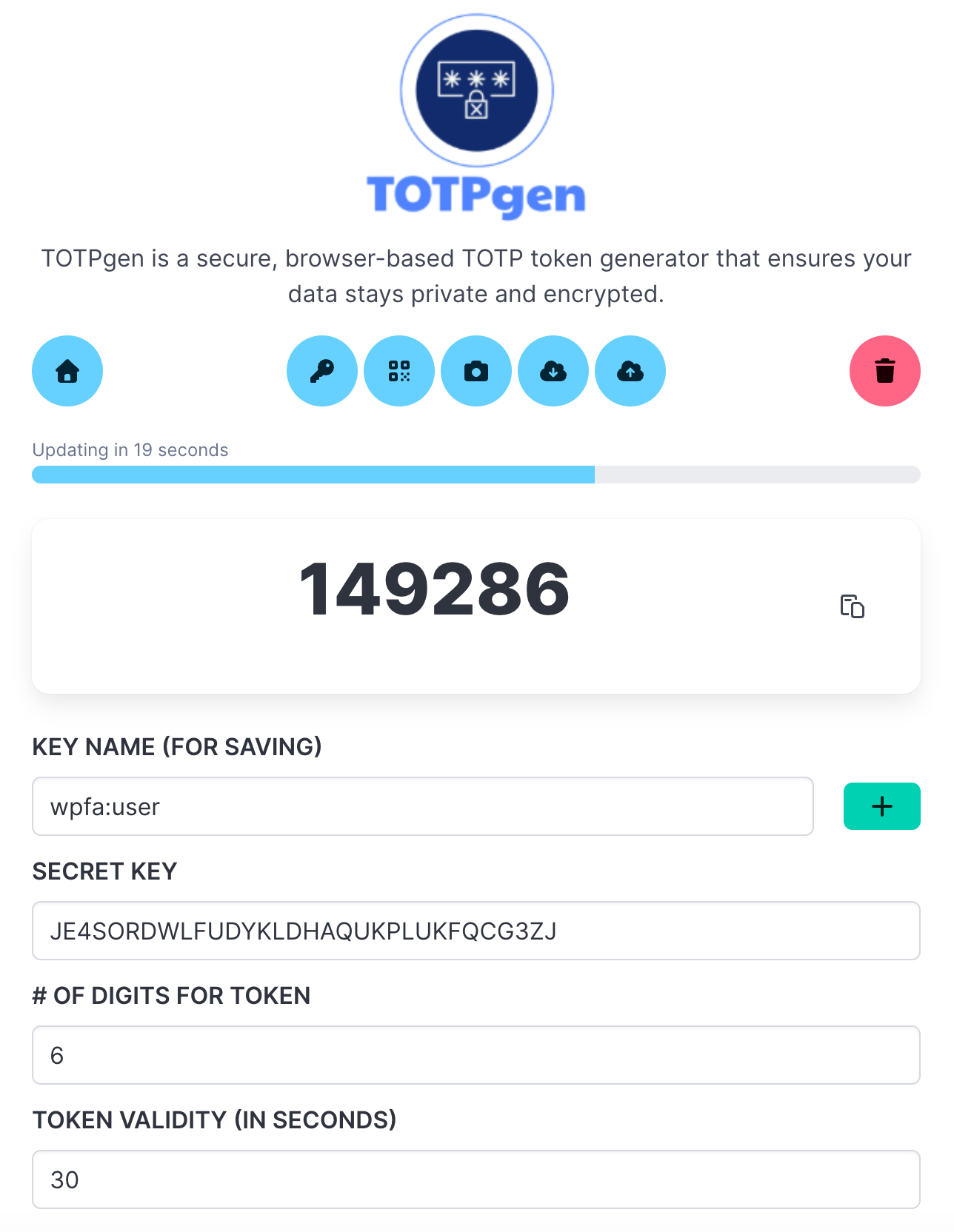
TOTPgen main interface

Why TOTPgen?

Traditional authenticator apps require installation and are often limited to mobile devices. TOTPgen brings two-factor authentication to your desktop with complete privacy and ease of use.

Works on Desktop & Mobile
100% Private & Encrypted
Zero Installation

The Problem

Google Authenticator and Microsoft Authenticator are excellent apps, but they have limitations:

  • Mobile-only: Not ideal for desktop workflows
  • Installation required: Needs device setup and permissions
  • Sync concerns: Cloud sync raises privacy questions
  • Device dependency: Lose your phone, lose access

The Solution

TOTPgen provides a modern, web-based alternative that works anywhere, requires no installation, and keeps your data completely private with client-side encryption.

New: Cross-Device Support!
Export your encrypted keys from one device and import them on another. Keep your authentication synchronized across all your devices while maintaining complete security and privacy.

Features

Everything you need for secure two-factor authentication, right in your browser.

Works Everywhere

Use TOTPgen on any device with a modern web browser. Desktop, laptop, tablet, or mobile - it works seamlessly everywhere.

No Installation

Just open the web app and start using it. No downloads, no app store, no permissions, no hassle. It's that simple.

Complete Privacy

Your data never leaves your browser. All encryption and decryption happens locally. We can't access your keys because we never see them.

Encrypted Storage

All your TOTP keys are encrypted with AES-256-GCM using a password only you know. Not even stored in plain text in your browser.

QR Code Import

Import TOTP keys easily by scanning QR codes with your camera or uploading an image. Quick setup, no manual typing.

Export & Import

Export your keys to encrypted backup files and import them on other devices. Use the same configuration across all your devices securely.

Open Source

Fully open source and transparent. Review the code, contribute improvements, or host it yourself. Total control and trust.

Cross-Device Synchronization

Use the same TOTP keys across all your devices with encrypted export and import

Secure Export & Import

Transfer your keys between devices safely and easily.

  • 🔐 Encrypted Backups: Export all your keys to an encrypted JSON file protected with AES-256-GCM encryption
  • 🔑 Password Protected: Use a separate export password to secure your backup file (independent from your master password)
  • 📱 Cross-Device: Export from your desktop and import on your mobile device, or vice versa
  • 💾 Smart Import: Automatically handles duplicate keys - choose to overwrite, rename, or skip
  • 📋 Full Backup: Export includes version info, timestamp, and all key configurations

Perfect for: Setting up TOTPgen on multiple devices, creating secure backups, or switching between desktop and mobile while keeping all your authentication keys synchronized.
Same Keys, All Devices

Your authentication, everywhere

How It Works

Get started with TOTPgen in three simple steps.

1

Set Your Master Password

Create a master password to encrypt your TOTP keys. This password never leaves your device and is never stored anywhere. You can also choose to leave it empty for convenience (though encryption is recommended).

2

Import Your Keys

Add your TOTP keys by scanning QR codes with your camera, uploading QR images, or entering the secret key manually. All keys are encrypted and saved in your browser's local storage.

3

Generate Tokens

Your TOTP tokens are generated automatically and refresh every 30 seconds. Copy them with one click and use them for two-factor authentication on any service.

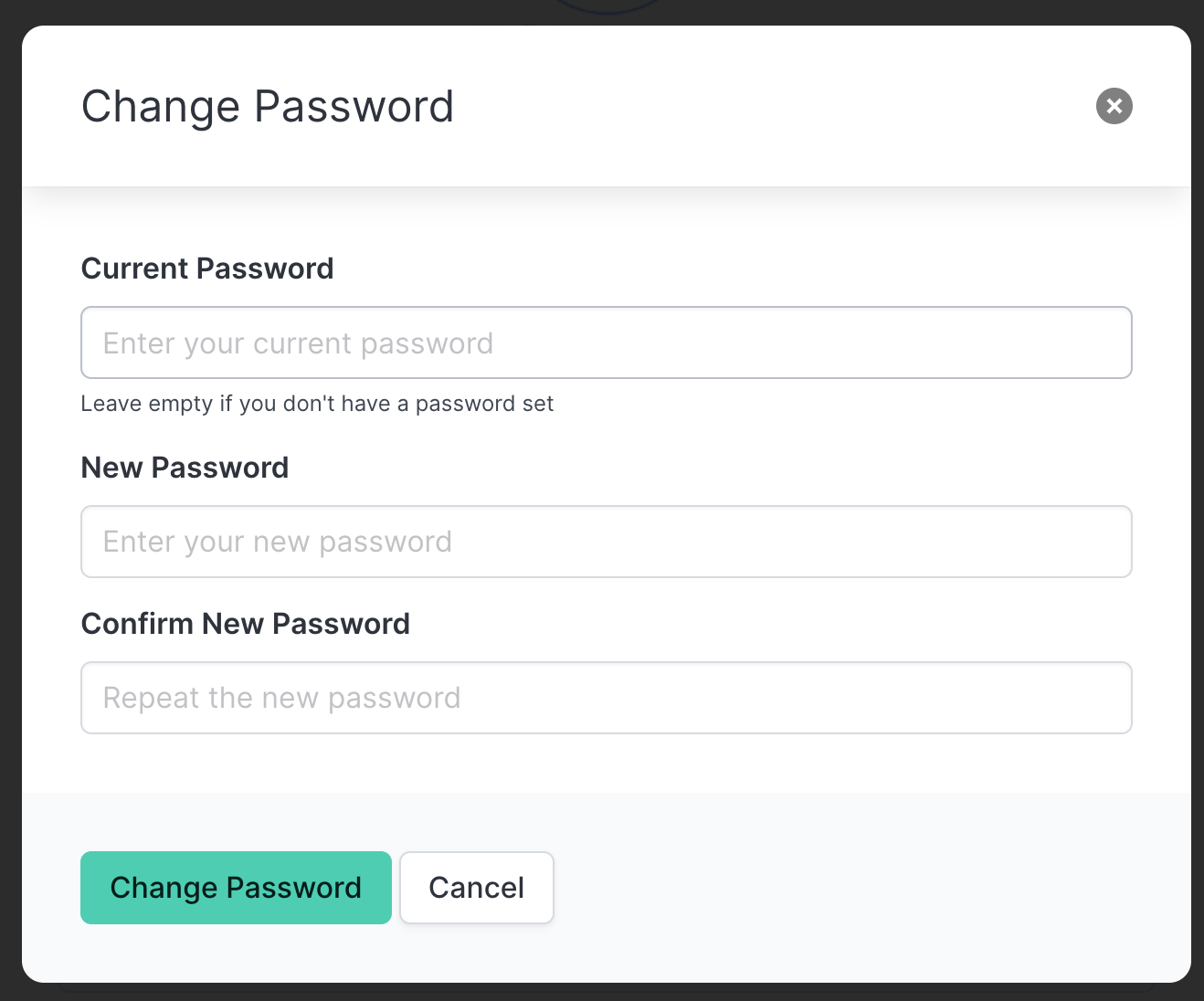
Change Your Master Password Anytime

Need to update your security? Change your master password with ease, and all your keys will be automatically re-encrypted.

Changing master password

Built With Modern Technology

TOTPgen uses industry-standard encryption and modern web technologies to ensure security and reliability.

Security & Technology Stack

AES-256-GCM Encryption PBKDF2 Key Derivation Web Crypto API
Vue.js 3 jsQR OTPAuth
100% Client-Side Local Storage Only No Backend Required

Security First: Your TOTP keys are encrypted using AES-256-GCM with 100,000 PBKDF2 iterations. This is the same level of encryption used by enterprise password managers.

Ready to Secure Your Accounts?

Start using TOTPgen today. No signup, no credit card, no installation required.

Launch TOTPgen